Change Request App
The Change Request App was introduced to support linking and refreshing Change Request data within a Cutover runbook. This can be achieved by making an API call to your ITSM system.
The Integration capability is powerful as the cutover task can be fired at the start of runbook to check for a valid CR before proceeding with the runbook or change. The Change Request App can be used across multiple use cases including Incident Management and Application Recovery.
Prerequisites
- Requires an endpoint to your ITSM in order to link and refresh change requests. Cutover supports object and array endpoint structures.
- Verify what attributes will be displayed on the Change Request App.
- Define which Runbook Type or Workspace the Change Request App will appear on.
- Define list of statuses for Cutover Integration to validate the change request before proceeding with the Runbook.
Supported Authentication types
Here are the Authentication types that the Change Request App supports:
- Basic
- Cutover Connect
Change Request Attributes
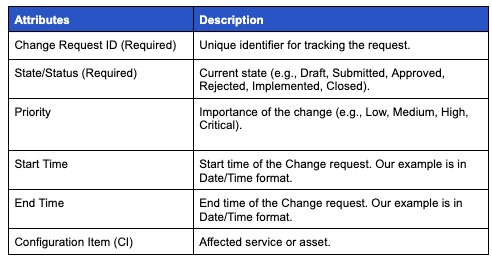
You will need to define which Change Request attributes you would like to display in the App. Here are some examples:
Test your Change Management App
1. Navigate to a runbook that has the Change Request App.
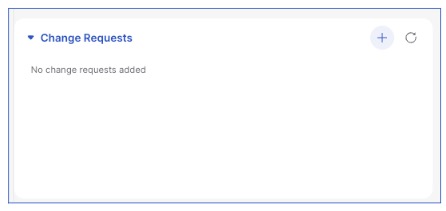
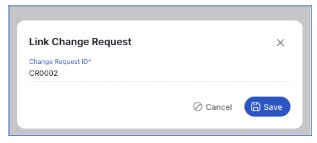
2. Click the + Button, enter in your Change Request Number into the form to link the Change Request to the Runbook. Press Save to continue.
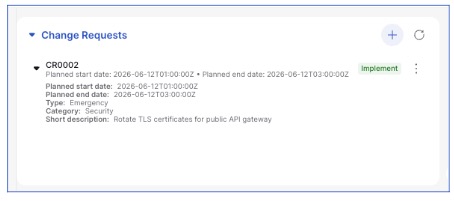
3.Verify that the Change Request is now visible in the Change Request App
4.Task level integrations can be added to your runbook to verify if the change request is in a valid state. Valid state is determined in the app’s configuration.
There are two integrations available:
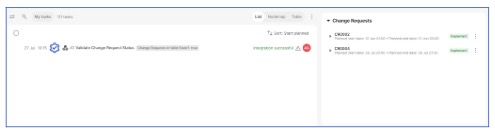
1. Validate Change Request Status: Validates the status of all change requests linked to the runbook
If all change requests are in a valid state the integration will succeed.
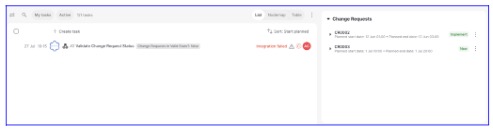
If change requests are not all in a valid state the integration will fail.
2. Validate Change Request Status (Single): Validates a single change request linked to the runbook. To specify the change request to verify, update the Change Request Number custom field.
Enter the Change Request Number in the custom field.
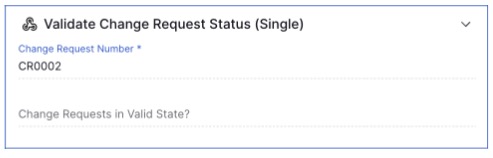
If the change request is in a valid state the integration will succeed.

If the change request is not in a valid state the integration will fail.

